Wed, 01-Apr 2026

Search news articles
  • Home
  • AllAgricultureBankingAviationEnergyManufacturingTechnologyStartups
  • Geopolitics
  • Kenya Business NewsAfrican Business NewsGlobal News
  • Press Releases
  • Shows
  • Best Places to Work 2026
Subscribe
Events
Subscribe
  • Home
  • AllAgricultureBankingAviationEnergyManufacturingTechnologyStartups
  • Geopolitics

    Contact Us

    Media Queries & Partnerships:[email protected]

    About Us

    We are a leading integrated digital content platform providing in-depth business and financial news across Sub-Saharan Africa & the globe.

    Disclaimer

    The information contained in this website is for general information purposes only.
    © 2026 Wallstreet Africa Technologies LTD.. All Rights Reserved.
    1.0.32

    How to Buy Airtel Airtime from M-Pesa

    Sylvia
    By Sylvia Jemutai
    - January 07, 2025
    - January 07, 2025
    Kenya Business news
    How to Buy Airtel Airtime from M-Pesa

    In Kenya, staying connected is essential, and buying airtime has never been easier, thanks to mobile money platforms like M-Pesa. If you’re an Airtel subscriber, you can conveniently purchase airtime directly from your M-Pesa account. Follow this simple guide to complete your transaction seamlessly.

    Step-by-Step Guide to Buy Airtel Airtime from M-Pesa

    Step 1: Open Your M-Pesa Menu

    • •Go to the M-Pesa menu in the Safaricom SIM Toolkit or the M-Pesa app on your phone.

    Step 2: Select “Lipa na M-Pesa”

    • •Scroll through the menu and choose the Lipa na M-Pesa option, which allows you to make payments.

    Step 3: Choose “Pay Bill”

    • •Under Lipa na M-Pesa, select the Pay Bill option to proceed with the transaction.

    Step 4: Enter Airtel’s Pay Bill Number

    • •Enter Airtel’s Pay Bill number: 220220. This is the official number for buying Airtel airtime via M-Pesa.

    Step 5: Enter Your Airtel Phone Number as the Account Number

    • •In the account number field, input your Airtel phone number. Double-check to ensure accuracy.

    Step 6: Input the Amount

    • •Enter the amount of airtime you want to purchase. For example, if you want Ksh 100 airtime, type “100”.

    Step 7: Enter Your M-Pesa PIN

    • •Confirm the details, then input your M-Pesa PIN to authorize the transaction.

    Step 8: Wait for Confirmation

    • •You’ll receive two SMS confirmations:
      • •One from M-Pesa shows the transaction was successful.
      • •Another from Airtel confirms that your airtime has been credited.

    Tips for a Smooth Transaction

    1. •Ensure Sufficient M-Pesa Balance: Before starting the process, check your balance to avoid failed transactions.
    2. •Verify Details Carefully: Always confirm the Pay Bill number, account number (your Airtel phone number), and amount before proceeding.
    3. •Save Airtel’s Pay Bill Number: Save 220220 to your phone for future convenience.

    Why Buy Airtel Airtime via M-Pesa?

    • •Convenience: No need to visit a shop or buy physical scratch cards.
    • •Accessibility: Transactions can be completed anytime, anywhere.
    • •Instant Confirmation: Airtime is credited immediately upon successful payment.

    The Kenyan Wall Street

    We are a leading integrated digital content platform providing in-depth business and financial news across Africa & the globeSubscribe
    Loading...
    Loading...
    Loading...
    Loading...
    Loading...
    Loading...
    Loading...
    Loading...
    Loading...
    Loading...
    Loading...
    Loading...
    Loading...
    Loading...
    Loading...
    Loading...
    Loading...
    Loading...
    Loading...
    Loading...

    Your edge in markets, powered by AI

    Explore cutting-edge insights with our AI assistant, delivering real-time analysis, personalized news, and in-depth answers at your fingertips.

    Sign Up

    Show me today’s top trades

    Explain the market in simple terms

    What’s my next smart move?

    Report Issue

    Wall Street Africa Business Intelligence

    Access exclusive news, expert analysis, and tools designed to give investors an edge.

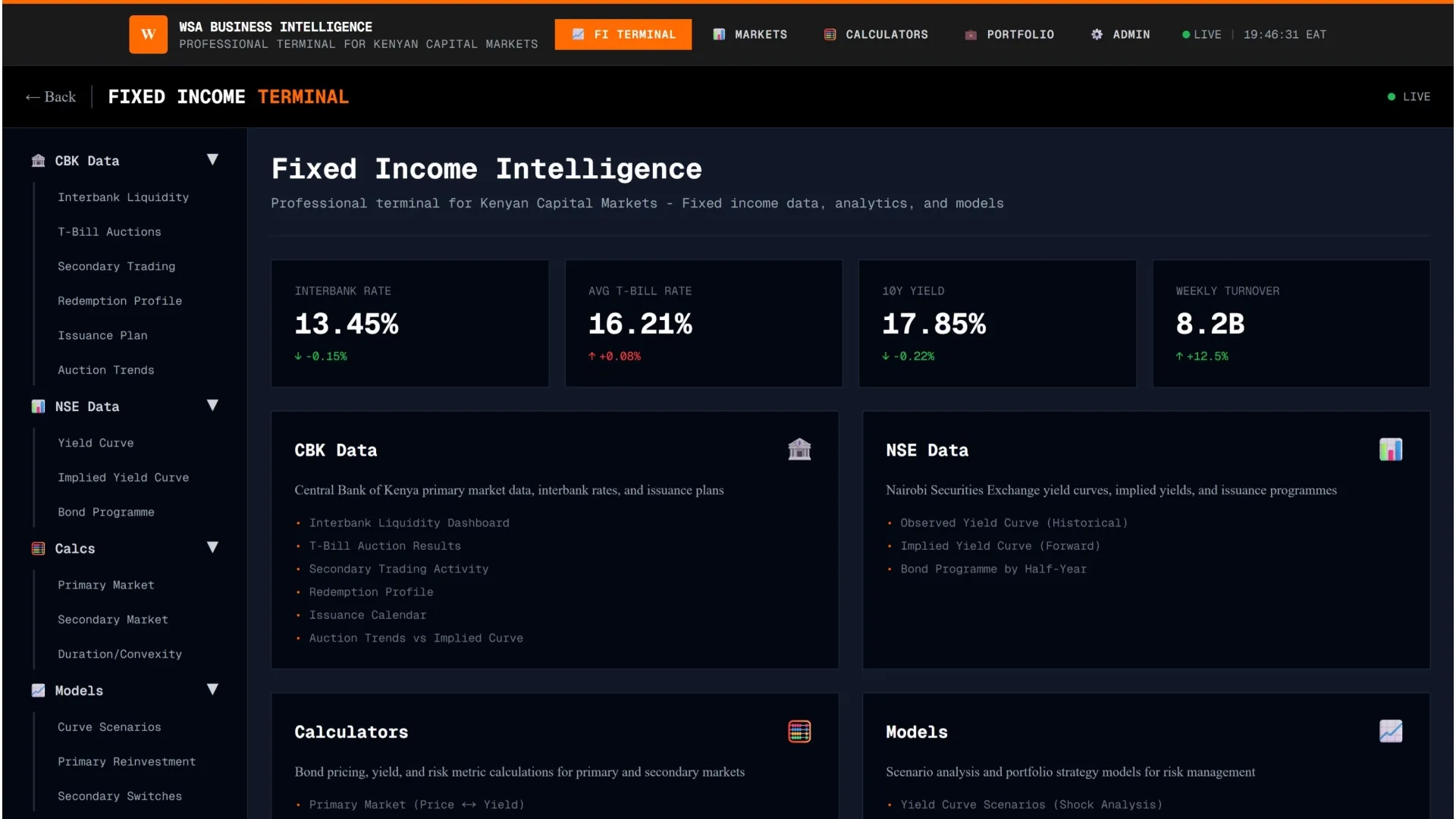
    Fixed Income

    Real-time bond pricing with instant calculations, auction data, yield curves, and trend analysis for Africa’s fixed-income markets.

    Local and Global Insights

    Unique perspective with a blend of local and global news and analysis, tailored for African investors.

    Real-Time Economic Indicators

    Monitor inflation, currency movements, and other key economic indicators for African countries.

    Interactive Data for Local Markets

    Visualize trends and compare markets across Africa with interactive charts and tools.
    Wallstreet Africa
    Wallstreet Africa
    Wallstreet Africa